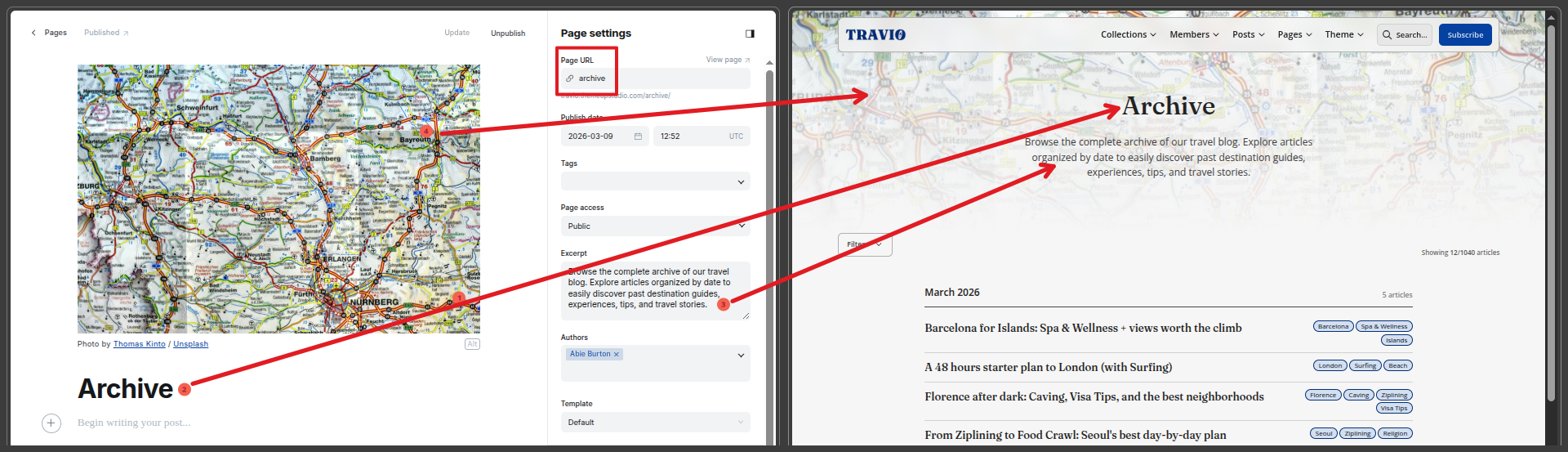
# Archive Page
Live preview:
This page documents how the Archive page works, how to configure it, and which settings control each element.
### Route and template
* URL: `/archive/`
* Route source: `routes.yaml`
* Template file: `archive.hbs`
* Page data source: `data: page.archive`
You should create a Ghost page with slug `archive` so page header/title content can render correctly.
Archive page content source
***
### What the archive page includes
The Archive page has:
1. Page header (from `page.archive`)
2. Filter panel
1. Destination filter
2. Experience filter
3. Date range filter (Start / End date)
3. Grouped archive post list (month-year grouped)
4. Empty-state message when filters return no results
5. Pagination / Load More behavior
6. Bottom CTA section
***
### Settings That Control Archive
#### Theme Custom Settings (Customize → Theme → Site Wide)
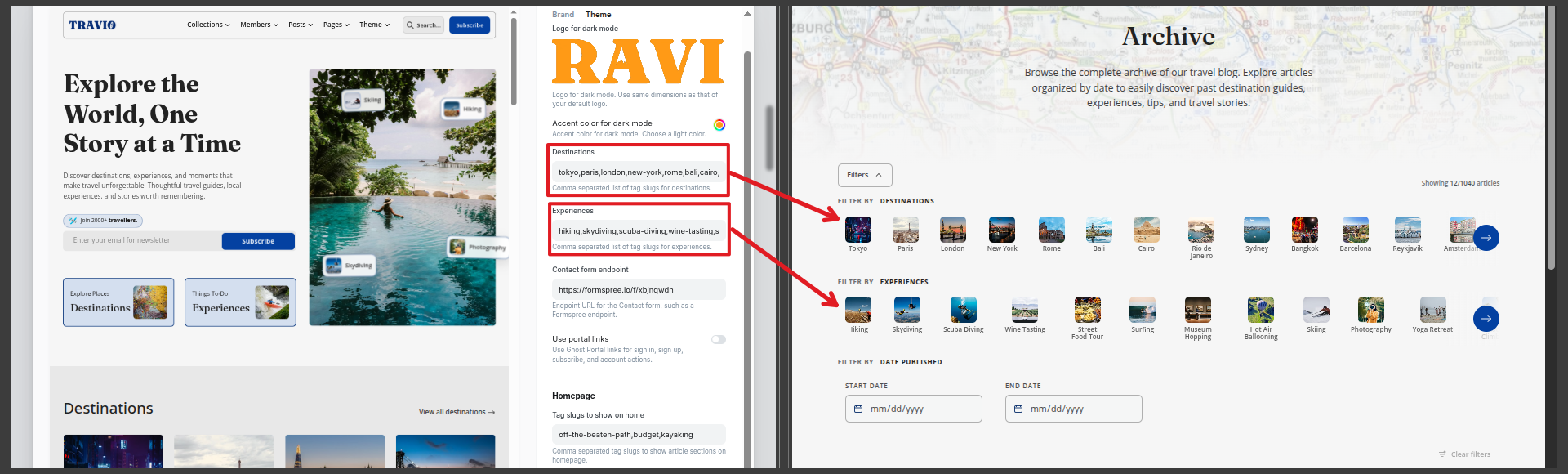
`destinations`
* Comma-separated destination tag slugs.
* Controls which destination tags appear in Archive filters.
`experiences`
* Comma-separated experience tag slugs.
* Controls which experience tags appear in Archive filters.
If these are empty, their related filter groups will not render.
Archive page filters
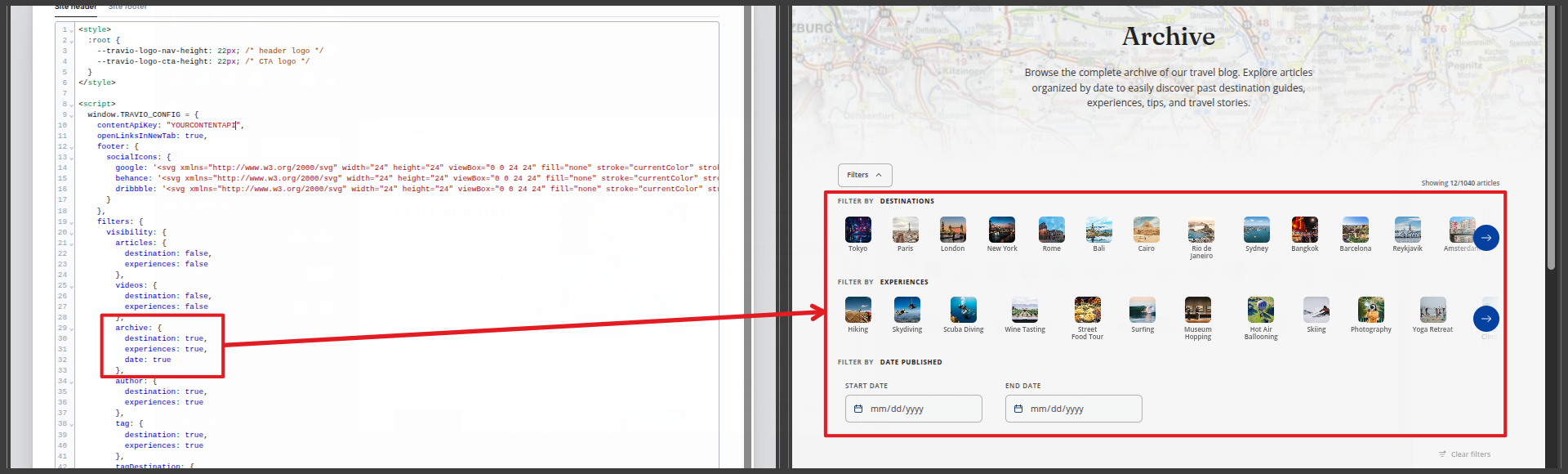
#### Code Injection (Site Header) → window\.TRAVIO\_CONFIG.filters.visibility.archive
Controls which archive filter sections are visible:
* destination: true|false
* experiences: true|false
* date: true|false
Example:
```javascript
window.TRAVIO_CONFIG = {
filters: {
visibility: {
archive: {
destination: true,
experiences: true,
date: true
}
}
}
};
```
If all three are disabled, the entire filter panel is hidden for archive.
Archive page filter controls
***
### Archive Filter Behavior
#### Destination / Experience Filters
* Rendered from tags listed in `@custom.destinations` and `@custom.experiences`.
* Tags are shown as selectable chips/cards in horizontal sliders.
* Multiple tag selections are supported.
#### Date Filters
* Start and End date inputs are available when `date` visibility is enabled.
* Theme normalizes and validates range (start cannot exceed end).
* Date filter applies to published date.
#### Clear Filters Button
* Enabled only when one or more filters are active.
* Clears category and date filters together.
***
### Data Loading and Pagination Logic
Archive uses a hybrid approach:
#### Default (no active filters)
* Uses server-rendered page content and normal Ghost pagination.
* “Load More” continues loading next archive pages.
#### With active filters
* Theme attempts API-based filtering for better UX.
* Requires a valid Ghost Content API key.
Set via Code Injection:
```javascript
window.TRAVIO_CONFIG = {
contentApiKey: "YOUR_CONTENT_API_KEY"
};
```
If API config is missing/invalid:
* Advanced filtered pagination may be limited.
* Theme shows a diagnostic warning for filter API unavailability.
***
### Archive Card Layout and Grouping
Each archive post card includes:
* Month header grouping (`MMMM YYYY`)
* Title and link
* Tag chips
Theme de-duplicates month headings and duplicate cards client-side when pagination/filter operations run.
***
### Content Sources
Archive pulls from regular posts and applies current filters:
* Destination/experience match via selected tag slugs
* Date range match via published date
* Sorted by `published_at desc` in API-filter mode
***
### Practical Setup Checklist
1. Create page slug: `archive`
2. Set `destinations` and `experiences` custom settings with real tag slugs
3. Configure filter visibility for archive (optional)
4. Add valid `contentApiKey` in Code Injection for best filtering performance
5. Verify `/archive/` page shows:
1. expected filter groups
2. working date range
3. correct load more behavior